Want the complete guide?

The full guide, every other guide, the AI agents I use and live calls are going inside my community. Join the waitlist for the founding-member price.

Join the waitlist →
your free guide

The AI Company Blueprint: organize AI into a team that runs your business

Most business owners use AI. Very few organize it. Using AI means you prompt, copy, paste and check every step yourself. Organizing it means AI managers and one-job agents do the work, hand it to each other and only bring you the decisions.

You can build this at three levels. Start where you are. Every step below works at Level 1, and each level builds on the one before it.

  • Level 1: Chat (Claude or ChatGPT). You map the company and write the instructions. About an hour. No setup.
  • Level 2: Projects and connected apps. Each department becomes a Claude Project (or ChatGPT Project) that remembers your business and can read your email, calendar and files. One afternoon.
  • Level 3: Claude Code. Your agents become files that hand off work on their own and can run every morning on a schedule. A weekend, and you do not have to know how to code.
1

Step 1: Write your company brief

Every agent you build reads this first, so you never explain your business twice. If you already did the AI Org Chart guide, reuse that brief.

Copy this inHelp me write a one-page company brief that every AI agent in my business will read before it does any work. Ask me questions one at a time about: what I sell and the prices, who buys it, how a customer finds me and buys, how I deliver, my team, the tools I use, how I talk to customers, and the things an AI must never do without asking me. When you have enough, write the brief in plain language with a heading for each topic.

Save it as a document called company-brief. You will upload it in Level 2 and drop it into a folder in Level 3.

2

Step 2: Map outcomes to departments and agents

Copy this inUsing my company brief, build my AI company map. List 3 to 5 departments. For each department give me: the one outcome it owns (something I can measure), the AI manager that owns it, and 3 to 6 agents underneath that each do one job. For every agent write: what starts it (the trigger), what it needs (inputs), what it produces (output), who it hands the work to next, and what it must bring to me instead of deciding itself. Format it as one table per department, then tell me which department would save me the most time to build first.

Save the answer as company-map. This is your blueprint. Everything after this turns one row of that map into a working agent.

3

Step 3: Turn every job into an SOP the AI can follow

An agent is only as good as its instructions. Turn each job on your map into a short standard operating procedure the AI can follow every time.

Copy this inWrite the job [agent name from your company map] as an SOP for an AI agent. Include: 1) its job in one sentence, 2) what triggers it, 3) the inputs it reads and where they are, 4) the exact steps in order, 5) the output format, with an example, 6) a quality check it runs before handing off, 7) who gets the work next, 8) when it must stop and ask me. Keep it under one page.

Do this for the 3 to 6 agents in your first department. Paste each SOP into your company-map document under that agent.

4

Step 4 (Level 2): Give each department a home in Claude or ChatGPT

Now give the department a home that remembers.

In Claude:

  1. Go to claude.ai, open Projects and click New project. Name it after the department, like "Sales Department".
  2. In the project instructions, paste the manager's instructions (Step 2) and every agent SOP for that department (Step 3).
  3. Add your company-brief and company-map documents to the project's knowledge, plus examples of good work: past emails, scripts, reports.
  4. Connect the apps the department needs (for example Gmail, Google Calendar or Google Drive) from Claude's settings, under connectors. Only connect what this department actually uses.

In ChatGPT: create a Project (or a custom GPT) with the same instructions and files, and connect your apps from ChatGPT's settings where your plan allows it.

Run the departmentYou are the manager of this department. Follow your instructions and the SOPs. Here is today's work: [paste the new leads, emails or tasks]. Delegate each item to the right agent, do the work, run each agent's quality check, and give me: what got done, the drafts for me to review, and the decisions only I can make. Never send anything without my OK.

Run it by hand for a week. Every time it gets something wrong, fix the SOP, not just the answer, so the mistake never comes back.

5

Step 5 (Level 3): Build the agent team in Claude Code

Level 3 turns your map into a team of agents that hand work to each other. Claude Code is Anthropic's agent app: it reads and writes files on your computer. Search "Claude Code" and install it from Anthropic's site (there is a desktop app and a terminal version). Then make a folder for your AI company and open it in Claude Code.

1. The memory file. Create a file called CLAUDE.md in the folder. Claude Code reads it at the start of every session.

CLAUDE.md# Company brief [paste your company-brief here] # How this AI company works - The Manager agent runs each morning cycle and delegates to the agents in .claude/agents/. - Work moves through folders: inbox/ -> drafts/ -> handoff/ -> done/ for each department. - Anything that needs the owner goes in work/decisions/ as one short note. - Never send an email, post or message, and never spend money, without the owner's OK.

2. One file per agent. Claude Code lets you define your own agents (it calls them subagents) as files in a folder called .claude/agents/. Here is a complete example:

.claude/agents/lead-responder.md--- name: lead-responder description: Writes the first reply to every new lead. Use when a new lead file appears in work/sales/inbox/. tools: Read, Write, Edit, Glob --- You are the Lead Responder for [your company]. Read CLAUDE.md first. Job: draft a first reply to each new lead within minutes. Steps: 1. Read each file in work/sales/inbox/. 2. Write a 2-3 sentence reply in our voice that answers their question and ends with one easy question. 3. Check it: does it use their name, answer what they asked, and sound like a person? If not, rewrite it. 4. Save the draft to work/sales/drafts/[lead-name].md. 5. Move the lead file to work/sales/handoff/ for the Follow-up Writer. Never send anything. If a lead asks about price, a refund or a complaint, write a note in work/decisions/ for the owner and stop.

You do not have to write these by hand. Put your company-map in the folder and ask:

Copy this into Claude CodeRead company-map.md and CLAUDE.md. For every agent in my first department, create an agent file in .claude/agents/ like the lead-responder example: a name, a description that says when to use it, only the tools it needs, and its SOP as the instructions. Also create a manager agent that delegates to them. Create the work/ folders they hand off through. Show me the list of files before you write them.
6

Step 6: Connect your tools

Agents get useful when they can see your real work. Claude Code connects to other apps through MCP (Model Context Protocol), an open standard many tools now support: Gmail, Google Calendar, Slack, Notion, HubSpot and plenty more publish an MCP connection. Automation tools like Zapier and Make also offer one, which bridges to thousands of apps.

Copy this into Claude CodeI want my agents to work with [app, for example Gmail or my CRM]. Find the official MCP connection for it, walk me through connecting it to Claude Code step by step, assuming I'm not technical, then update the agent files so only the agents that need it can use it. Read-only first. Nothing gets sent without my OK.

Connect one app at a time. Give each agent only the access its job needs.

7

Step 7: Run it every morning

The morning cycle (paste into Claude Code)Run the morning cycle: check each department's inbox folder, hand each item to the right agent, have every agent run its quality check, move finished work to done/, and write today's brief to work/decisions/today.md: what got done, what's waiting on me, and the 3 decisions only I can make.

When it runs well by hand, ask Claude Code: "Set this morning cycle to run automatically every weekday at 7 AM on this computer, and show me how to turn it off." Claude Code can run a prompt without you there, so your team works before you wake up and you start the day with a 10-line brief.

No Claude Code? ChatGPT can schedule tasks too: ask it to run your department prompt every morning and send you the result.

8

Step 8: The rules that keep it safe

  • Draft, don't send. Nothing goes to a customer until you've trusted that agent for a few weeks.
  • One department first. Get one running well before you build the next.
  • Fix the SOP, not the answer. Every correction goes back into the agent's instructions.
  • Keep a decisions file. Agents never decide price, refunds, hiring or anything legal.
  • Cap the spending. Set a monthly limit on any paid AI or app the agents use.
  • Review weekly. 15 minutes: what each agent did, what went wrong, what to change.

That's the blueprint: a brief, a map, SOPs, a home for each department, agents that hand off work, connected tools, a daily run and a few rules. It is the same structure behind the 170-agent system I built for my career business.

the rest of this guide is inside the community

Unlock the full guide

  • My full AI company map and the agent files behind it
  • The manager prompt I use to delegate across every department
  • Ready-made agent files for marketing, sales and operations
  • Live build sessions: we set up your first department together
  • First access to the AI Company Builder when it opens

Get this guide in full, every other guide, the AI agents I use, and live calls, inside my community.
Founding members: $47 first month, then $97/month.
Join the waitlist

keep going

More free guides

Cover of Your AI Org Chart
AI agentsGetting startedClaude / ChatGPT

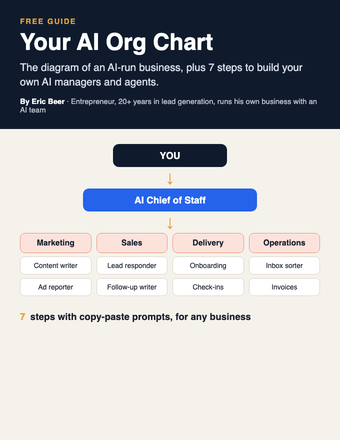
Your AI Org Chart: the diagram, and how to build it for any business

The diagram of an AI-run business, plus 7 steps with copy-paste prompts to build your own AI managers and agents.

Get the guide →
Cover of Make AI Do the Thinking
PromptsGetting startedChatGPT / Claude

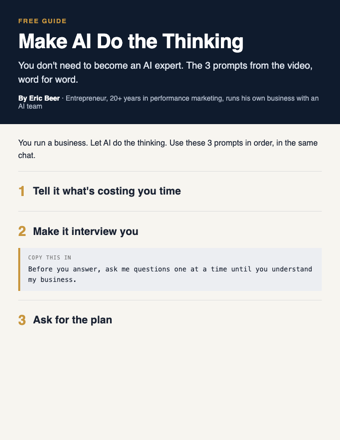
Make AI Do the Thinking: the 3 prompts, word for word

You don't need to become an AI expert. Three copy-paste prompts: tell it what's costing you time, make it interview you, get the plan.

Get the guide →
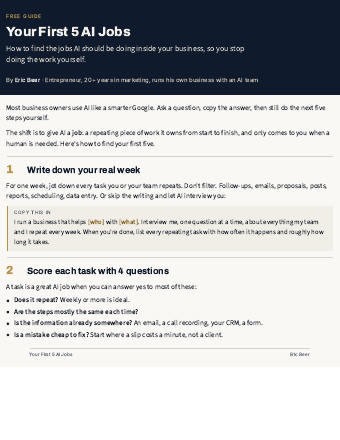
Cover of Your First 5 AI Jobs
AI agentsGetting startedAny AI

Your First 5 AI Jobs: stop doing the work AI should be doing

How to find the jobs AI should own inside your business, score them, and start with the one that saves you the most time.

Get the guide →
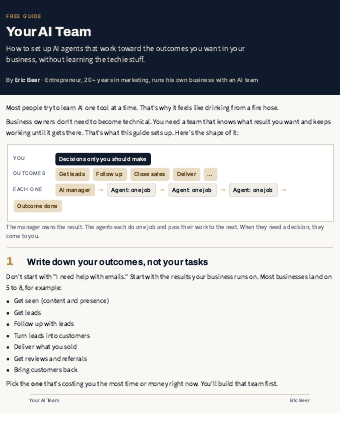
Cover of Your AI Team
AI agentsGetting startedAny AI

Your AI Team: set up AI agents that run your outcomes

The 7-step setup I use: outcomes, an AI manager for each, agents with one job, and decisions that come to you.

Get the guide →
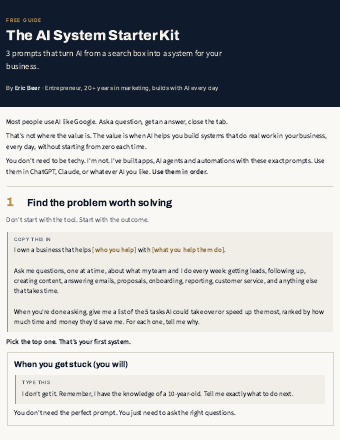
Cover of AI System Starter Kit
PromptsGetting startedChatGPT / Claude

The AI System Starter Kit: 3 prompts that turn AI into a system

Stop using AI like Google. Three copy-paste prompts to find the problem worth solving and get a step-by-step plan.

Get the guide →
new guides every week

See the library

Explore ericbeer.ai Join the waitlist

watch & learn

See how I put AI to work

Short videos on how I run my business with an AI team. Watch on whichever app you like.

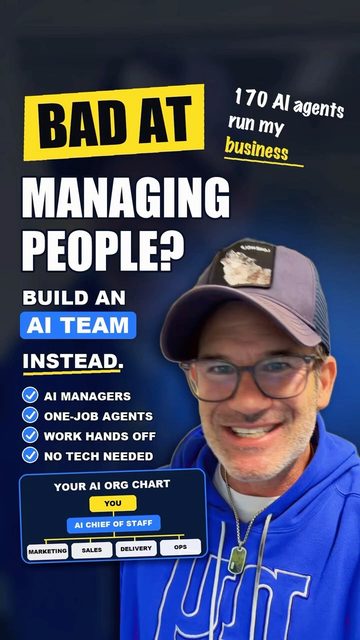
Bad at managing people? Build an AI team instead with Claude

Bad at managing people? Build an AI team instead with Claude